
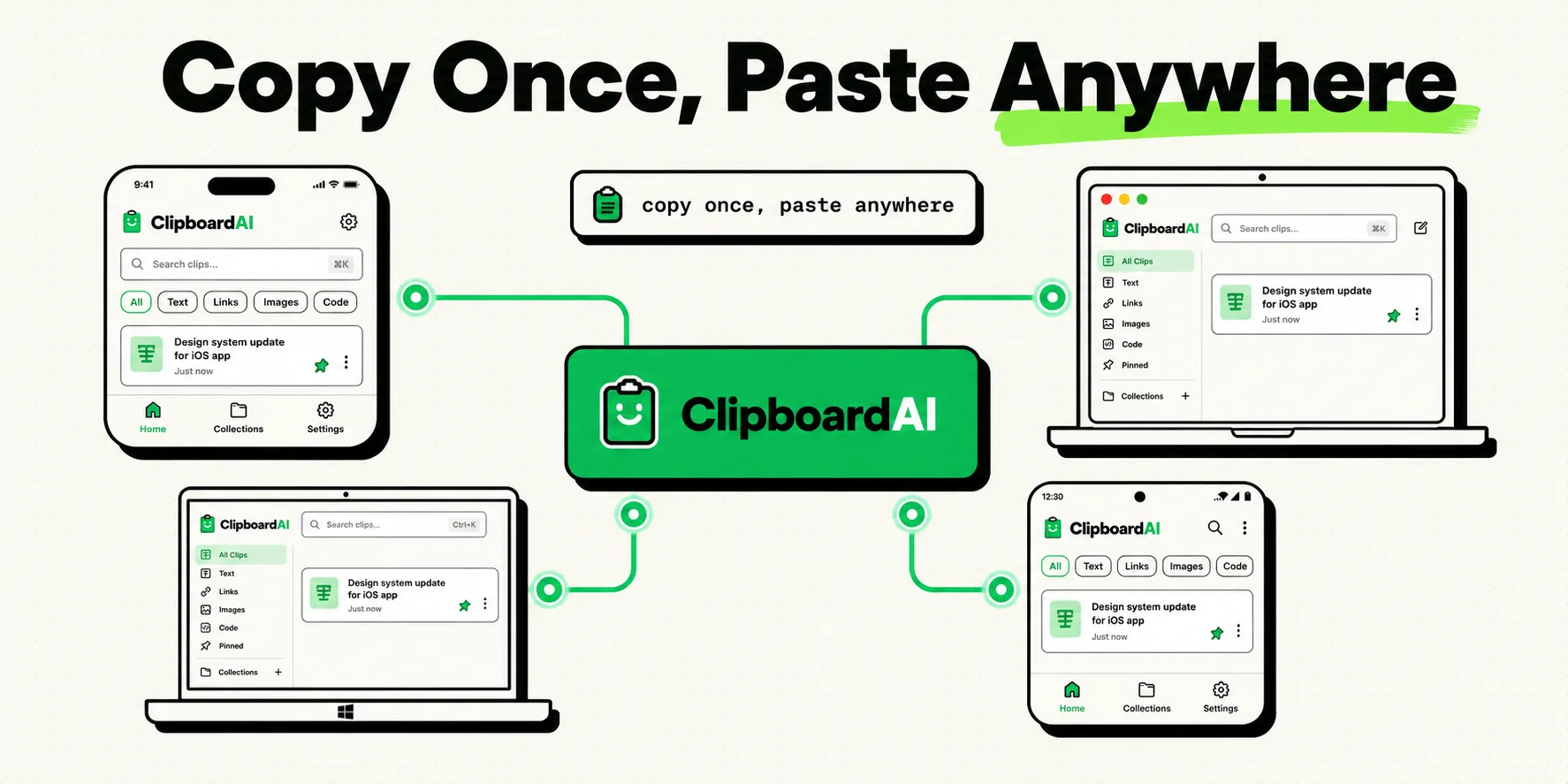
To sync your clipboard across different platforms (like Windows to Mac or iPhone to Android), you must use a dedicated utility like ClipboardAI or Microsoft's SwiftKey, as native systems only sync within their own ecosystems. Apple devices use Universal Clipboard (via Handoff), while Windows and Android sync using Phone Link. True cross-platform clipboard sharing requires a unified tool that bridges these operating systems securely without compromising your data privacy.
We live in a multi-device world. Many of us use an iPhone for personal calls, a Windows PC for corporate work, a MacBook for creative tasks, and an Android tablet for reading.
In this fragmented landscape, moving data between devices is a major pain point. Sending yourself slack messages, emailing URLs, or uploading temporary text files to Google Drive are slow workarounds. A cross-platform clipboard sync solves this by allowing you to press Ctrl+C on one machine and Cmd+V on another. However, getting systems built by competing tech companies to share pasteboard data requires understanding their network mechanics.
1. Native Solutions: The Closed Ecosystem Approach
Microsoft and Apple both offer excellent clipboard syncing solutions, but they are deliberately designed to keep you locked inside their hardware ecosystems.
Apple Universal Clipboard (iOS, iPadOS, macOS)
Apple's Universal Clipboard works out of the box with zero third-party software, provided you stay within the Apple sandbox. It uses a combination of Bluetooth Low Energy (BLE) to detect proximity and Wi-Fi Direct to transfer pasteboard payloads.
- Requirements: All devices must be signed into the same Apple ID, have Wi-Fi and Bluetooth turned on, and have Handoff enabled in System Settings.
- How it works: When you copy text or an image on your iPhone, the system broadcasts a temporary token. When you hit paste on your Mac, the Mac requests the payload from the iPhone, transfers it over local Wi-Fi, and pastes it.
- Limitations: It does not work with Windows, Linux, or Android.
Microsoft Cloud Clipboard & Phone Link (Windows & Android)
Windows 10 and 11 feature a built-in Cloud Clipboard. When paired with Link to Windows on an Android device, you can sync your clipboard history natively.
- Requirements: A Windows PC running the Phone Link app and a compatible Android device (such as Samsung Galaxy or Link to Windows pre-installed).
- How it works: Copied text is uploaded to your Microsoft account cloud and synced to the active pasteboard of the target device.
- Limitations: Apple's sandboxing rules prevent Phone Link from syncing clipboard data with iPhones.
2. Bridging the Gap: Third-Party Solutions
To sync clipboard data across different systems, you must use a third-party app to bridge the ecosystem divide.
Microsoft SwiftKey Keyboard (iOS/Android to Windows)
Microsoft integrates its Cloud Clipboard directly into the SwiftKey keyboard app on iOS and Android. This allows mobile keyboard inputs to link directly with your Windows clipboard history feed.
- How to configure: Install SwiftKey on your phone, log in with your Microsoft account, go to Rich Input > Clipboard, and toggle Sync Clipboard History.
- Limitation: This only syncs text, requires you to use SwiftKey as your primary keyboard, and does not support macOS.
ClipboardAI: Unified Cross-Platform Utility
We built ClipboardAI to act as a platform-agnostic clipboard bridge. Instead of relying on local Bluetooth handshakes or specific brand accounts, ClipboardAI uses a secure, encrypted relay server to sync text and media across iOS, macOS, and Windows.
- How it works: When active, ClipboardAI monitors your local clipboard. When you copy an item, the app packages the text, encrypts it on-device, and sends it to your personal sync queue. When you access another device running ClipboardAI, the app fetches the queue, decrypts the payload, and writes it to the local system clipboard.
Cross-Platform Clipboard Tool Comparison
Below is a breakdown of how the primary clipboard sync methods handle mixed-device environments:
| Tool | iOS to Mac | Android to Windows | iOS to Windows | Android to Mac | Transit Security | Price |
|---|---|---|---|---|---|---|
| Universal Clipboard | Yes (Native) | No | No | No | On-Device BLE/Wi-Fi | Free |
| Phone Link Sync | No | Yes (Native) | No | No | Local Network / Microsoft Cloud | Free |
| SwiftKey Cloud Sync | No | Yes (Cloud) | Yes (Cloud) | No | HTTPS (Microsoft Account) | Free |
| ClipboardAI Sync | Yes | Yes | Yes | Yes | Encrypted at Rest & In Transit (Apple iCloud) | Free / Premium |
Honest Caveats: Security and Network Constraints
Cross-platform clipboard syncing introduces specific risks and limitations that you must evaluate before enabling these tools.
1. The Security Risks of Cloud Relays
If a syncing app uses a cloud server to bridge devices, your clipboard contents are transmitted over the public internet. This includes anything you copy: passwords, multi-factor authentication (MFA) codes, bank account details, and private emails. If the developer's cloud database is compromised, your clipboard data could be exposed. Always ensure your syncing tool uses End-to-End Encryption (E2EE) with keys stored only on your local devices.
2. Corporate Network Blockers
Many enterprise office networks and public Wi-Fi access points implement Client Isolation or block custom TCP/UDP ports to prevent hacking. This security measure prevents Apple's Universal Clipboard and Microsoft Phone Link from communicating locally. In these environments, local sync tools will fail, forcing you to use cloud-based relays that communicate over standard HTTPS ports (port 443).
3. Payload Delays and Failures
Pasting a text string takes milliseconds, but copying a 20MB image file from a Mac to an Android phone requires significant bandwidth. If you copy a large file and immediately attempt to paste it on another device, the transfer may fail or lag while the file uploads and downloads. Large file syncing also drains mobile battery life due to prolonged Wi-Fi radio activity.