
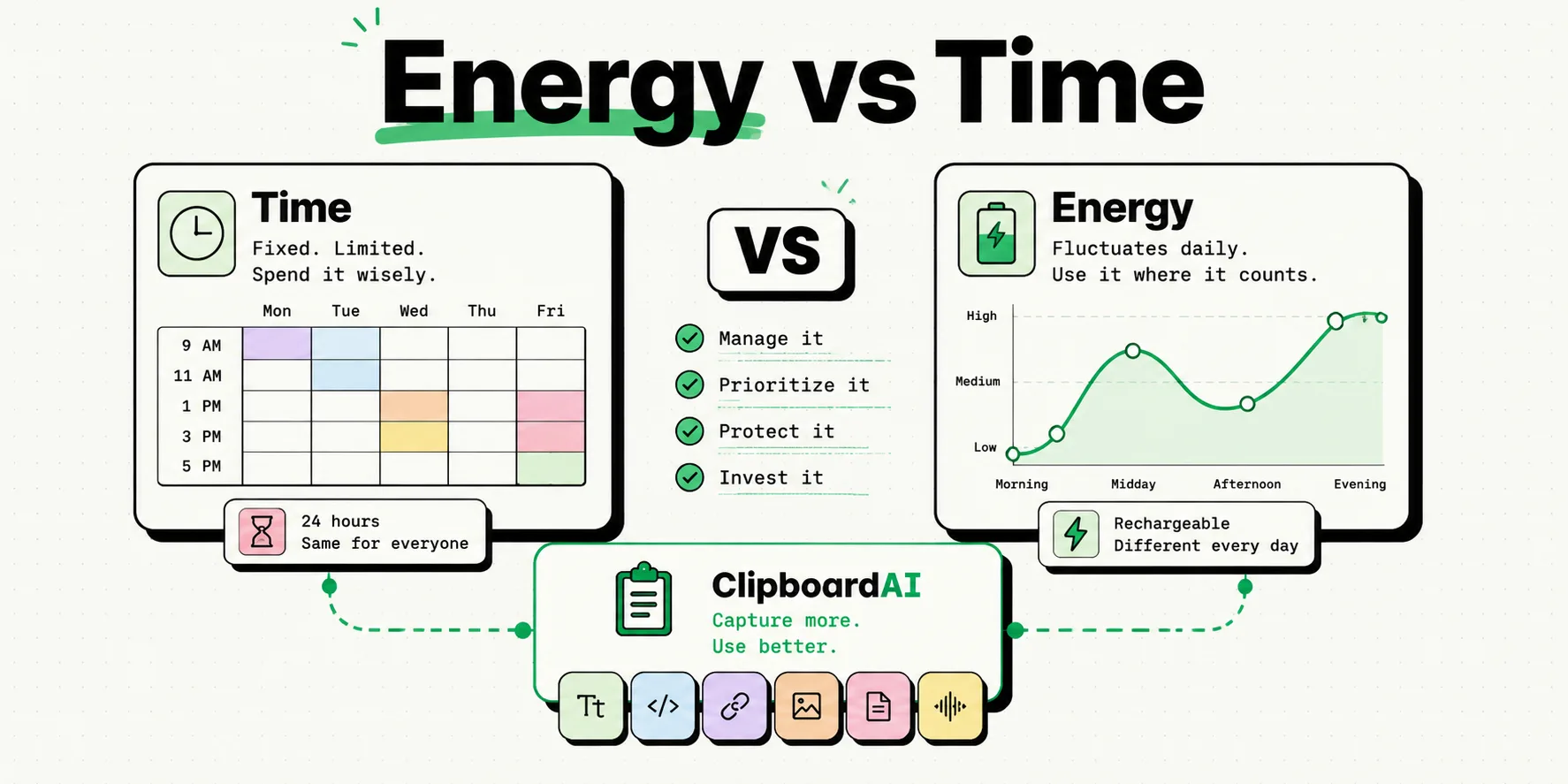
To optimize your productivity using energy management instead of time management, align your daily tasks with your natural energy cycles rather than scheduling every hour of your calendar. Use your iPhone's Focus Modes to block all distractions during your peak high-energy hours for deep cognitive work. Reserve low-energy windows for administrative tasks like email sorting and clipboard cleanups, making your work habits sustainable and preventing digital burnout.
Time management is a finite game. We all have the same 24 hours in a day, and no amount of productivity hacking can create more time. Standard time management systems encourage you to schedule every minute of your calendar, turning your day into a rigid sequence of boxes.
The flaw in this approach is that it ignores human biology. Our cognitive ability, willpower, and focus fluctuate throughout the day in accordance with our circadian rhythms. Trying to write a complex report during your mid-afternoon energy trough is an uphill battle, even if your calendar says it is "writing time."
Energy management shifts the focus from time to energy. By matching the cognitive difficulty of your tasks to your current energy levels, you can complete work faster and with less mental fatigue. Here is how to configure your iPhone to support an energy-aligned workflow.
1. Understanding Your Daily Energy Cycles
Most people experience three distinct energy phases throughout a 24-hour cycle:
- The Peak (High Energy): Typically occurs in the morning. This is when your logical reasoning, analytical ability, and willpower are at their highest.
- The Trough (Low Energy): Typically occurs in the mid-afternoon (between 1:00 PM and 4:00 PM). This is when your focus drops, and you feel sluggish or distracted.
- The Rebound (Moderate/Creative Energy): Typically occurs in the late afternoon or early evening. Willpower is lower, but your mind is more open and creative.
2. Configuring Focus Profiles for Your Energy States
Instead of using a single "Work" profile, set up three distinct Focus Modes on your iPhone to guide your behavior during each energy phase.
Phase 1: The Peak (The Deep Work Profile)
- The Goal: Protect your analytical focus from external interruptions.
- iPhone Setup: Enable a Deep Work Focus Mode. Allow notifications only from emergency family contacts. Hide all distracting apps and badge counts on your Home screen. Keep only a single writing app or code editor open.
- Tasks to Do: Strategic writing, software development, financial analysis, or planning.
Phase 2: The Trough (The Admin Profile)
- The Goal: Batch process low-cognitive, transactional tasks that do not require deep thought.
- iPhone Setup: Set Focus Mode to Admin. Allow messages from colleagues, client updates, and work channels. Keep your spreadsheet tools, email clients, and clipboard managers visible on your Home screen.
- Tasks to Do: Replying to emails, sorting expense reports, updating calendar events, copying and pasting data between systems, or cleaning up your files.
Phase 3: The Rebound (The Creative Profile)
- The Goal: Allow your mind to wander and collect ideas without the pressure of active output.
- iPhone Setup: Set Focus Mode to Inspiration. Mute work apps (Slack, corporate Mail) but keep reading apps, bookmark folders, and audio tools accessible.
- Tasks to Do: Brainstorming, reading industry articles, reviewing design boards, or listening to educational podcasts.
How ClipboardAI Supports Low-Energy Admin Windows
Copy-pasting tracking numbers, sorting client emails, and organizing contact details are high-friction tasks during low-energy states. When you are tired, making manual adjustments across web forms often leads to typos and errors.
We designed ClipboardAI to handle these administrative tasks.
By capturing your copy history and parsing data structures automatically, ClipboardAI does the tedious work for you. You can copy a block of data, switch to your target database or spreadsheet, and let ClipboardAI inject the details into the correct columns. This keeps your low-energy admin windows efficient and error-free.
The Energy Management Daily Workflow Planner
Use the table below to align your daily tasks and device settings with your biological energy states:
| Daily Phase | Cognitive Energy | Tasks to Focus On | iPhone Focus Setting | Key Work Tools |
|---|---|---|---|---|
| Morning Peak | High (Logical/Analytical) | Report writing, system design, budgeting | Deep Work (All alerts muted, minimal page) | Clean text editor, Apple Notes |
| Afternoon Trough | Low (Sluggish/Distracted) | Email, expenses, data entry, link sorting | Admin (Allows Slack/Mail notifications) | ClipboardAI, Excel, Google Sheets |
| Late Rebound | Moderate (Creative/Open) | Brainstorming, research, reading | Inspiration (Mutes work, opens reading) | Safari, Podcasts, Kindle Reader |
| Evening Wind-down | Minimal | Task sorting, planning tomorrow's Peak | Sleep (Dimmed screen, grayscale enabled) | Apple Reminders, Calendar |
Honest Caveats: Scheduling Conflicts and Pushback
Shifting from time management to energy management has practical trade-offs:
- The Corporate Constraint: You cannot always align your calendar with your energy cycles. If your team schedules a high-stakes strategy meeting during your afternoon trough, you must attend. Focus on controlling the blocks of time you do own, and use Focus profiles to manage the rest.
- The Push-Through Habit: Our culture encourages pushing through fatigue. However, working while cognitively drained decreases output quality and leads to burnout. Learn to recognize when your energy drops and swap to low-cognitive tasks rather than forcing deep work.
- Automation Setup Time: Linking Focus profiles to specific times or locations requires initial setup effort. Take the time to configure these triggers once so they run smoothly in the background.