On this page
The Bottom Line
Writing a PRD means pulling together fragments from a dozen sources in one sitting: a Slack thread with the original ask, a support ticket quote, an analytics screenshot link, a competitor's pricing page, an engineer's Jira comment. iOS and macOS both lose whatever you copied the moment you copy the next thing, which means the standard PM workflow of "gather everything, then write" fights the platform's own clipboard the whole time. A clipboard history fixes the gathering step specifically.
Where the Friction Actually Is
PRD research is naturally scattered: a customer quote from a support ticket, a metric from a dashboard, a link to a design file, a line from a competitor's changelog. Writing all of that down as you find it, instead of copying and immediately pasting into the doc, breaks your research flow. With ClipboardAI running in the background, you can copy all ten things you find in a research session and paste them into the PRD in whatever order makes sense once you're actually writing, instead of interrupting research to paste each one immediately.
A Starter Snippet Kit for PRDs
Pin these as reusable templates in your clipboard manager so you are not retyping the same structural scaffolding in every new PRD:
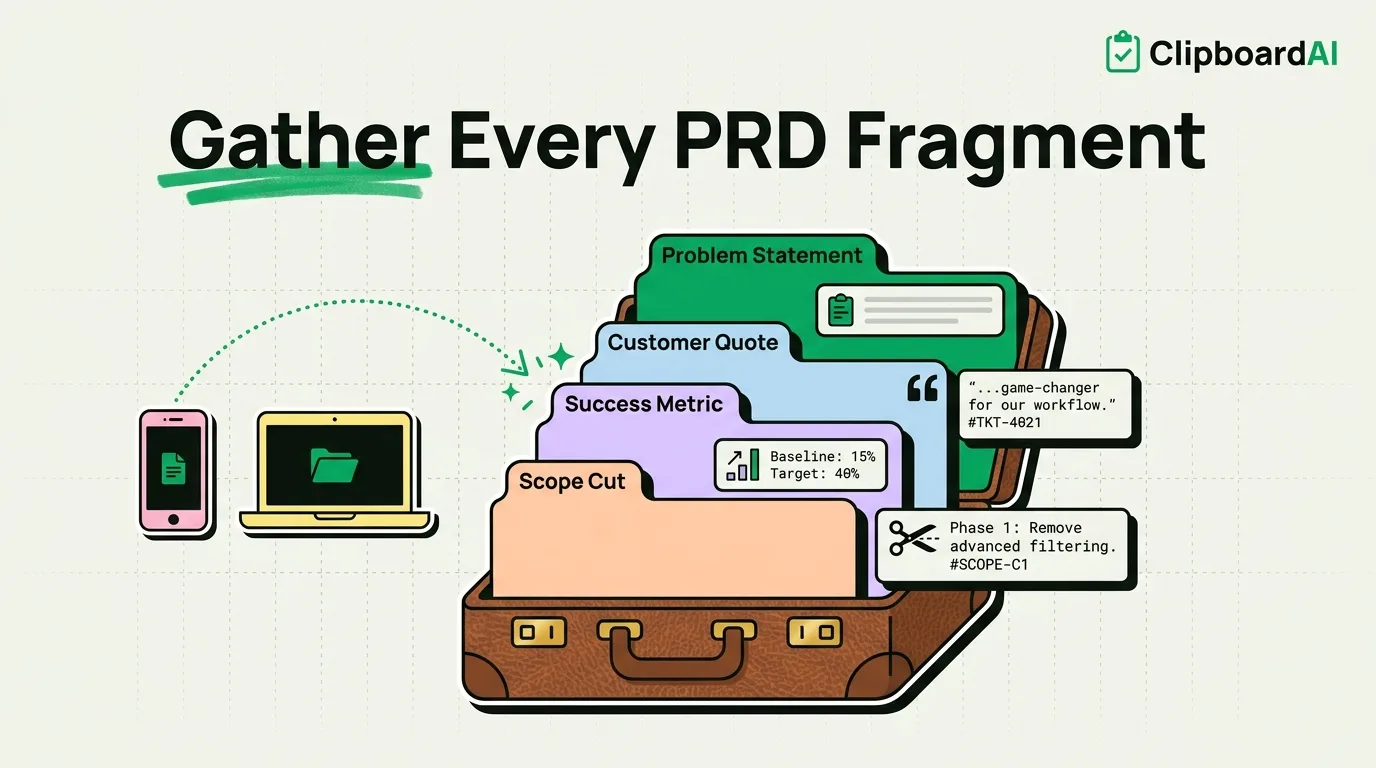
1. Problem Statement Frame
Problem: [one sentence, the pain point]
Who is affected: [segment/persona]
Evidence: [ticket link, quote, or metric]
Current workaround: [what users do today without this]
Cost of inaction: [churn risk, support volume, lost revenue - be specific or omit]
2. Customer Quote Citation Block
"[exact quote]" - [Source: ticket #, interview date, or survey ID]
Segment: [plan tier / user type]
Pin this so every quote you pull into a PRD carries its source, which matters later when someone asks "where did this come from."
3. Success Metric Template
Metric: [name]
Baseline: [current value, as of date]
Target: [goal value, by date]
Data source: [dashboard/tool name]
4. Scope Cut Line (for the "Out of Scope" section)
Explicitly out of scope for v1: [feature/edge case]
Reason: [complexity, low usage, dependency not ready]
Revisit: [next planning cycle / when X ships]
Cross-Device: Research on Phone, Write on Mac
A common PM pattern: read support tickets and Slack threads on your phone during standup or commute, then write the actual PRD on your Mac later. ClipboardAI's optional iCloud sync carries your clipboard history from iPhone to Mac, so a quote you copied on your phone during a hallway conversation is still there, searchable, when you sit down to write. On Mac specifically, the Cmd-Shift-V floating panel and batch-paste features (Paste All, Paste One by One) are worth using when you have gathered ten links and quotes during research and want to drop them all into a doc's appendix at once, without pasting each one individually.
Honest Caveats
Do not paste unredacted customer PII (full names tied to account details, emails) into a PRD or into your clipboard history if that PRD gets broad internal distribution. Clipboard history syncs via iCloud, encrypted in transit and at rest under Apple's standard infrastructure, but it is not a compliance-grade data store, treat it the way you would treat any other note-taking tool: fine for a quote or a metric, not a substitute for your company's actual customer data system.
Frequently Asked Questions
Can I share a batch of research clips with a teammate?
Yes, you can share an individual clip or collection out via Messages, Mail, or any other iOS/macOS share sheet destination.
Does clipboard history replace a proper research repository?
No. It is useful for the short window between finding something and writing it into a doc. For long-term, searchable customer research, use a dedicated tool; clipboard history is not built for that scale or structure.