
The Short Version
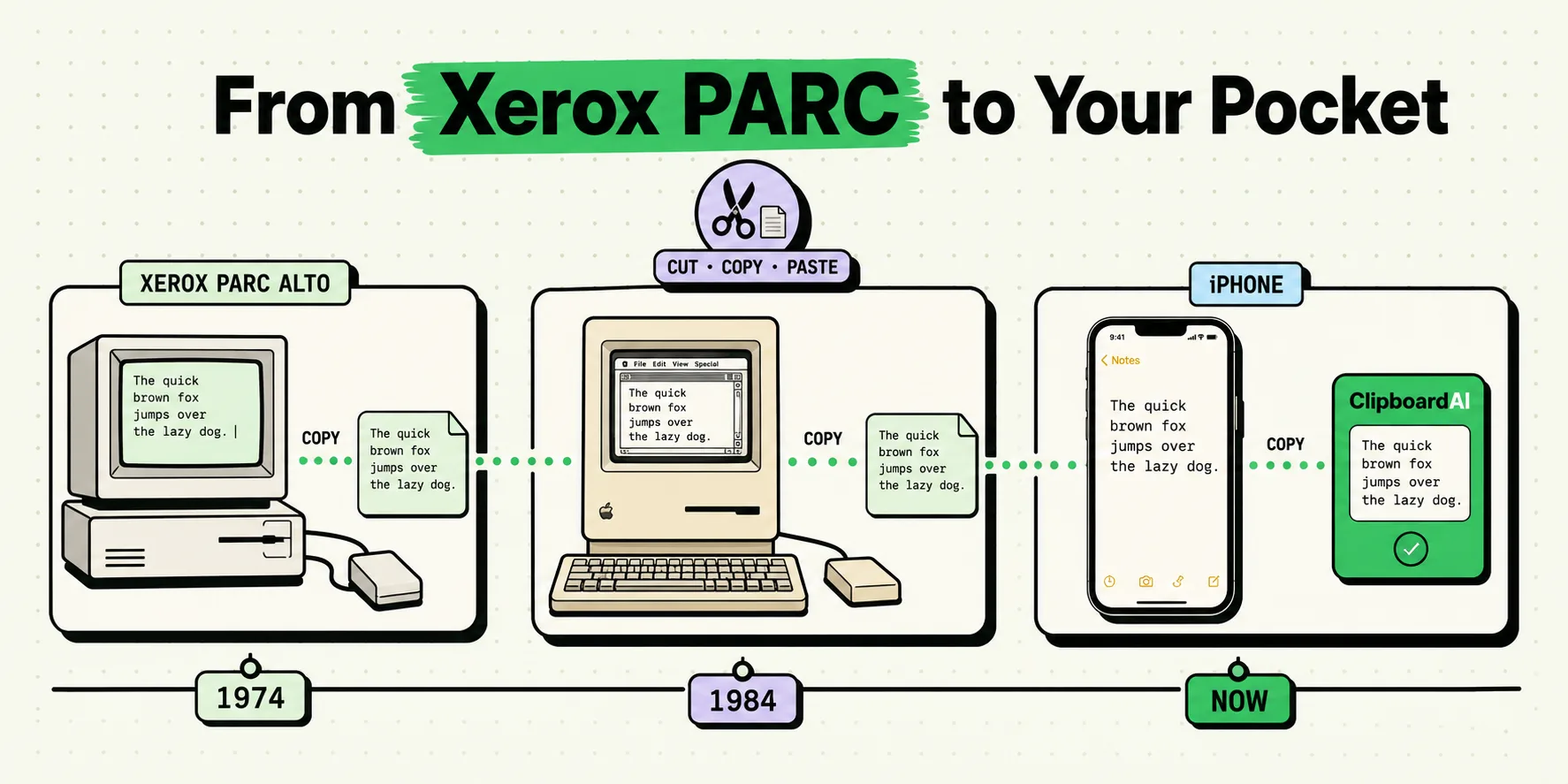
Copy and paste were invented in 1973-1974 by Larry Tesler and Tim Mott at Xerox PARC, as part of the Gypsy text editor project. The metaphor stuck for a reason: cutting and pasting physical paper was already how editors and writers rearranged text before computers existed. Everything since, including the one-item clipboard on your iPhone, is a variation on that original idea.
The Actual Timeline
Here is the lineage, with the parts most retellings skip:
| Year | Milestone | What changed |
|---|---|---|
| 1963-1968 | Douglas Engelbart's NLS ("oN-Line System") | First system to let a user select, delete, and re-insert blocks of text with a pointing device, laying the groundwork for clipboard-style editing. |
| 1973-1974 | Larry Tesler and Tim Mott, Xerox PARC | Built "cut," "copy," and "paste" as named commands in the Gypsy editor. Tesler is the person usually credited as the inventor of the modern copy-paste command. |
| 1983 | Apple Lisa | First mass-market computer to ship cut/copy/paste with a graphical menu and keyboard shortcuts, borrowing directly from Tesler's work (Tesler joined Apple in 1980). |
| 1984 | Macintosh | Cemented Command-C / Command-X / Command-V as the standard, a convention still used today. |
| 2007 | Original iPhone | Shipped with no copy-paste at all. Selecting and copying text was not possible in iOS 1. |
| 2009 | iOS 3 | Apple finally added copy-paste to iPhone, using the now-familiar tap-and-hold magnifying loupe to place a text cursor. |
| 2014 | iOS 8 / Handoff | Apple's Universal Clipboard-style Handoff let a copy on one Apple device get picked up on another, though full Universal Clipboard copy-paste arrived with iOS 10 in 2016. |
| 2020 | iOS 14 | Apple added the "App pasted from X" banner, notifying users when an app reads the clipboard in the background. |
Why iPhone Still Only Remembers One Copy
This is the part the "history" framing usually glosses over: fifty years after Tesler's invention, the iPhone's built-in clipboard (UIPasteboard) still only holds a single item, and copying something new silently overwrites whatever you copied before. That is not a bug, it is the original 1974 design, unchanged. Apple has never shipped a native clipboard history viewer on iOS.
That gap is the entire reason clipboard manager apps exist. ClipboardAI keeps a running, searchable history of everything you copy on iPhone (with a custom keyboard extension you enable via Full Access) and Mac (menu-bar history plus a Cmd-Shift-V floating panel), instead of the one-slot model Tesler shipped in 1974.
Frequently Asked Questions
Who actually invented copy and paste?
Larry Tesler, working with Tim Mott at Xerox PARC, is credited with designing "cut," "copy," and "paste" as user commands for the Gypsy text editor in 1973-1974. Douglas Engelbart's earlier NLS system pioneered the underlying idea of selecting and moving text blocks in the 1960s.
When did the iPhone get copy-paste?
Not at launch. The original 2007 iPhone had no text selection or copy-paste. Apple added it in iOS 3, released in June 2009, using a tap-and-hold gesture to summon a magnifying loupe and place the cursor.
Does iPhone remember more than one copied item?
No. iOS's built-in clipboard still holds exactly one item at a time, matching the original 1974 design. Copying something new overwrites what was there. To keep a history, you need a third-party clipboard manager such as ClipboardAI.