
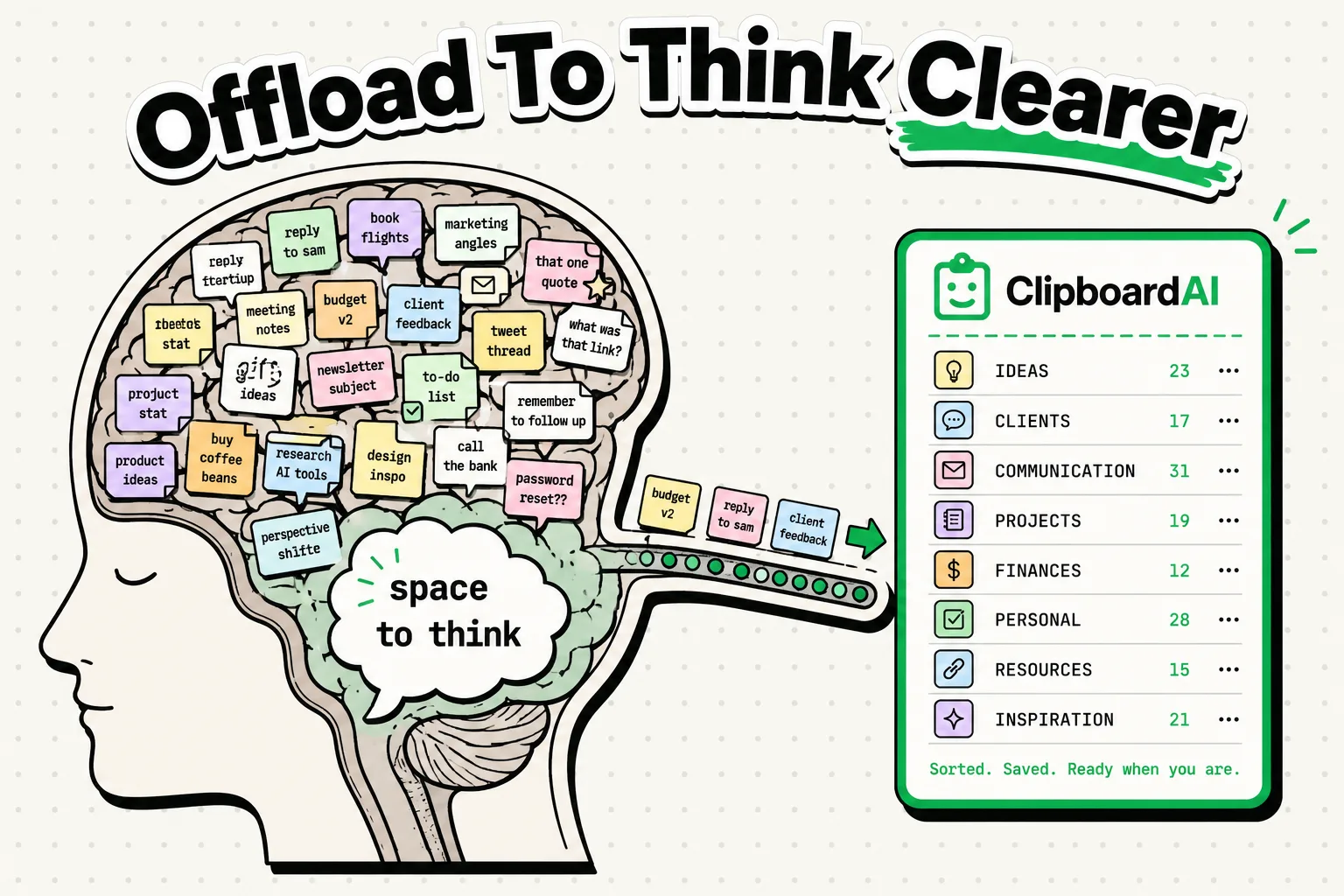
Cognitive science shows that using a clipboard manager prevents mental fatigue, protects short-term working memory, and reduces the time cost of multitasking. Human working memory can only hold about four chunks of information at once. When you copy-paste data using a standard single-item clipboard, you force your brain to hold temporary information in active recall. A clipboard history utility like ClipboardAI acts as a digital external memory bank, offloading mental RAM.
Working Memory limits: The 4-Chunk Bottleneck
Have you ever copied a confirmation number, switched to another app, looked at a notification, and instantly forgotten what you were doing? This is not a personal memory failure; it is the physical limit of the human brain.
In 1956, cognitive psychologist George Miller published research suggesting the human brain could hold seven items in short-term memory. However, modern neuroscience research led by Dr. Nelson Cowan has revised this number downward: our active working memory capacity is actually closer to four chunks of information.
A "chunk" can be a digit, a word, or a visual detail. When you try to remember a phone number, a tracking code, and a shipping address simultaneously while switching between apps on your iPhone, you overwhelm your prefrontal cortex. This mental strain is called cognitive load.
    [Brain's Working Memory (Max 4 Chunks)]
           │
           ├─ Chunk 1: Active Task Goal ("Log receipt")
           ├─ Chunk 2: Copy Item A (Tracking Code)
           ├─ Chunk 3: App Navigation details
           └─ Chunk 4: *Memory Overflows!* (Forget Shipping Address)
By using a clipboard manager, you offload these information chunks onto your device, leaving your brain free to process tasks rather than hold data.
Cognitive Load Analysis: Single-Item vs. Clipboard History
Every time you switch contexts to copy and paste another item, you pay a cognitive toll. Here is how standard copy-paste workflows compare to history-based systems:
| Cognitive Vector | Single-Item Clipboard (iOS Default) | Clipboard History Manager (ClipboardAI) | Psychological Benefit |
|---|---|---|---|
| Working Memory Load | High (Must remember what was copied and where to put it) | Very Low (Saved database handles storage) | Reduces mental fatigue and anxiety. |
| Switching Frequency | High (App A -> App B -> App A -> App B) | Low (Copy all from App A -> Paste all in App B) | Limits task-interruption loops. |
| Attention Focus | Fragmented (Constant navigation interrupts flow) | Sustained (Drafting is separated from sourcing) | Promotes deep focus and flow states. |
| Anxiety Level | High (Fear of overwriting sensitive copied data) | None (All history is searchable and retrievable) | Eliminates copy-paste frustration. |
| Mental Energy | Drained (High executive function tax) | Preserved (Low administrative overhead) | Saves focus for creative tasks. |
The Cost of Task Switching: Gloria Mark's Research
When you switch between apps to copy and paste, you aren't just moving text; you are switching tasks.
Research conducted by Dr. Gloria Mark at the University of California, Irvine, reveals that it takes an average of 23 minutes and 15 seconds to return to a deep focus state after a single interruption. Even if an app switch only takes ten seconds, the mental transition disrupts your brain's "flow state."
Your brain must reload the context of the work you were doing. If you perform this context switch ten times in an hour just to move data across applications, your brain spends the entire day in a state of fragmented attention.
1. What is Cognitive Offloading?
Cognitive offloading is the use of physical action to reduce the mental effort required to complete a task. Writing down a phone number on paper, using a calculator, or pinning an address in a clipboard manager are all forms of cognitive offloading.
When you copy text and know it is safely logged in a history database, your brain receives a subconscious signal that it can "let go" of that information. This reduces the administrative load on your executive function.
- The Science: Functional MRI scans show that when individuals use external memory aids, activity in the prefrontal cortex decreases. The brain conserves energy, allowing it to perform analytical tasks with greater accuracy.
2. The Digital Hoarding Trap: Information vs. Knowledge
While offloading is beneficial, it has a psychological trap: the digital hoarding effect.
Simply saving a quote, web link, or article to a clipboard database does not mean your brain has processed the information. In psychology, this is called the generation effect - we remember information better if we actively generate or organize it ourselves.
- The Remedy: Use your clipboard manager as a temporary pipeline, not a permanent archive. Set up a workflow where you harvest snippets during research, paste them into your notes app, and then actively edit and synthesize the information into your own words.
Checklist: Preservation Workflow for Deep Work
Use this checklist to set up a cognitive-offloading routine that protects your focus:
- Batch Your Copies: When researching a topic, copy all quotes, statistics, and URLs in one session. Do not paste them yet. Trust your clipboard manager to hold them.
- Set Up a Draft Screen: Keep your writing editor open on one side of your screen (or full screen on iPhone). Avoid switching to other apps until you have finished drafting your thoughts.
- Utilize the Clipboard Keyboard: Open your clipboard history directly from your keyboard. Paste your batched references in order, without leaving your writing canvas.
- Clear the Clipboard Sandbox: At the end of the day, review your copied list. Delete temporary items (like verification codes) and save important references to a permanent notes app.
Honest Caveats: When Technology Increases Load
Cognitive offloading only works if the system is low-friction. Be aware of these limitations:
- Complexity Exhaustion: If your clipboard manager requires you to manually label, categorize, and move every clip, the app itself will consume more cognitive energy than it saves. Keep the setup simple.
- The "Out of Sight" Problem: For neurodivergent users, items in a database are easily forgotten. Use clipboard pinning features to keep critical active templates visually prominent.
- Local Encryption Needs: Copied items often contain sensitive personal thoughts. Ensure your tool runs locally. ClipboardAI maintains your history database on your physical device, ensuring your thoughts are not logged on external servers.
Frequently Asked Questions
What does "cognitive load" feel like?
Cognitive load manifests as brain fog, increased typos, physical fatigue, and a feeling of frustration when performing simple tasks. It indicates that your working memory capacity has been exhausted.
Is cognitive offloading bad for my memory?
No. Offloading routine administrative details (like tracking numbers, phone numbers, and formatting scripts) does not degrade your memory. Instead, it frees up mental capacity to focus on deep learning, critical thinking, and problem-solving.
How does ClipboardAI prevent context-switching?
ClipboardAI allows you to copy multiple pieces of text in sequence. You can stay on a research page, copy what you need, and paste it later using the custom keyboard. This prevents you from switching back and forth between Safari and your note-taking app.