
On this page
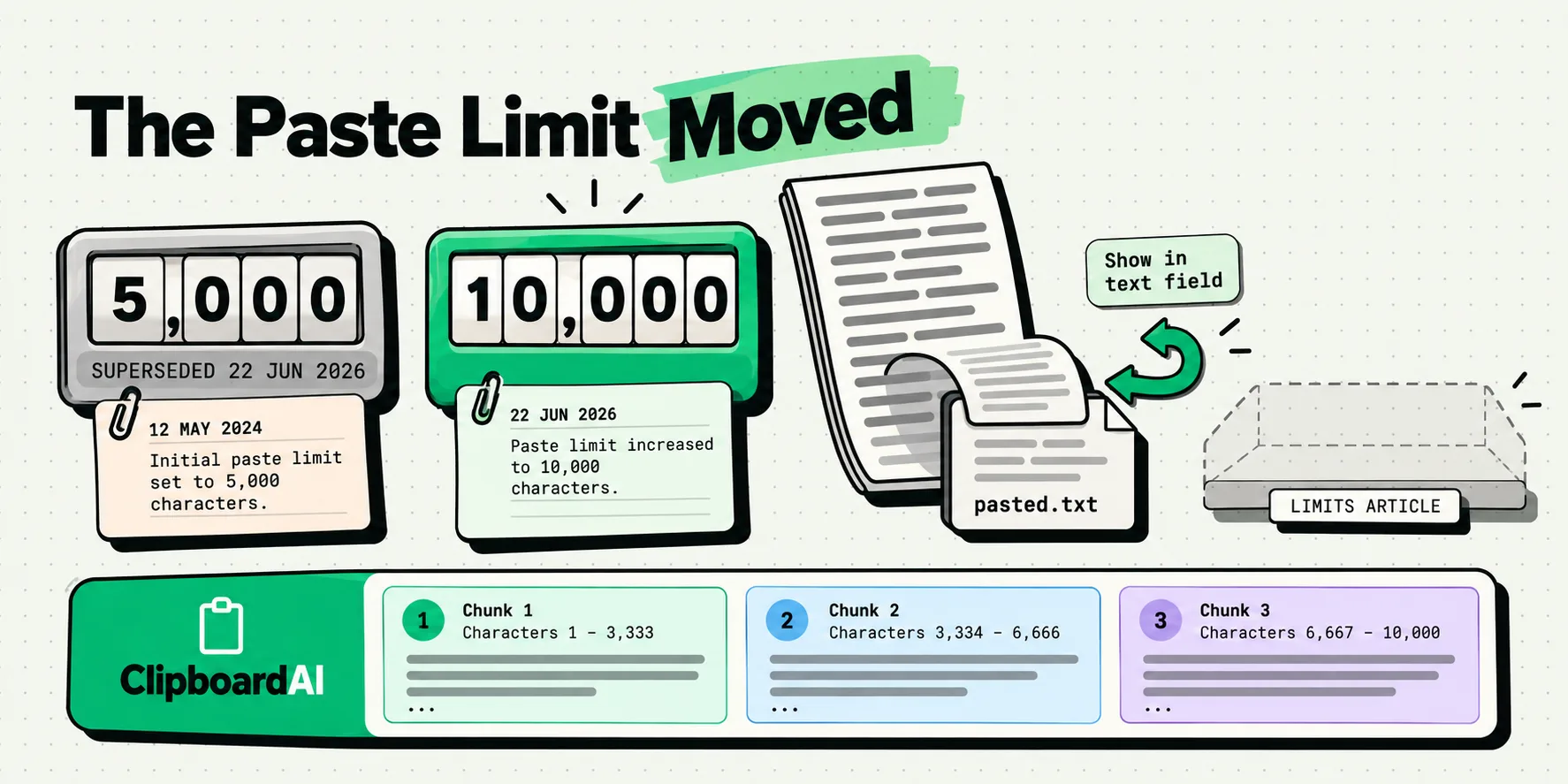
ChatGPT's paste threshold is 10,000 characters. Paste more than that into the composer and ChatGPT converts it into an attachment, usually named pasted.txt, instead of putting the words in your message. It was 5,000 until 22 June 2026, so every page still quoting 5,000 is repeating a superseded figure. OpenAI publishes this in exactly one place: a dated entry in the ChatGPT release notes. There is no limits article.
This is a live number, not a settled one. It has already moved once, it rolled out to different plans at different times, and the only durable way to answer the question is to know which document to check.
The two entries, verbatim, with their dates
Both of these are in OpenAI's ChatGPT release notes, read on 29 July 2026. The current one comes second.
25 March 2026, "Large pastes are now handled as attachments": "Starting today for ChatGPT Plus, Pro, and Business users, long pastes are handled differently in ChatGPT. If you paste more than 5k characters into the composer..."
22 June 2026, "Large pastes are now handled as attachments for more plans":
"Starting today for ChatGPT Free and Go users, long pastes are handled differently in ChatGPT. If you paste more than 10k characters into the composer, ChatGPT will automatically convert the content into an attachment instead of inserting it directly into the text field. This keeps the composer cleaner and helps prevent large pastes from consuming your entire context window. You can still move the content back into the message at any time by clicking on Show in text field to convert the attachment back to a direct paste. This is already available to ChatGPT Plus, Pro, and Business users. Previously if you sent more than 5k characters it was sent as an attachment. The threshold has now also been raised to 10k characters."
Three facts are worth pulling out of that. The current figure is 10k for every consumer plan. The old figure of 5k is explicitly named as superseded, in OpenAI's own words. And Show in text field is the documented way to undo the conversion, which is the single most useful sentence in this entire article and appears on almost none of the pages that answer this question.
OpenAI has not written a limits article
We checked the ChatGPT collection in OpenAI's help center on 29 July 2026, article by article. It contains a capabilities overview, a free tier FAQ, an image inputs FAQ, a file storage and usage caps article, shared links, custom instructions, supported countries, and the release notes changelog. There is no article about message length, composer length, or paste behavior.
So the only published statement of this threshold sits inside a changelog that is appended to constantly and is currently dominated by model releases and app features. That is why the figure ages so badly across the rest of the web: a changelog entry is written once and never revisited, and the pages that copied it were correct on the day they published.
Every figure in circulation, by source and date
Last checked 29 July 2026. Read the date column before the number column.
| Figure | Source | Date | Tier scope | Standing |
|---|---|---|---|---|
| 10,000 characters | OpenAI ChatGPT release notes | 22 June 2026 | Free and Go, plus Plus, Pro and Business raised to match | Primary and current. The answer. |
| 5,000 characters | OpenAI ChatGPT release notes | 25 March 2026 | Plus, Pro, Business | Primary but superseded, and named as superseded by OpenAI itself. |
| No figure | OpenAI help center, ChatGPT collection | Checked 29 July 2026 | All | There is no limits article. The changelog is the whole of the documentation. |
| 5,000 characters | Third-party explainers built on the March entry | Spring 2026 | Usually unstated | Secondhand and now stale. This is what most search results still say. |
| 10,000 characters | Tech news coverage of the June change | June 2026 | Usually correct on tiers | Secondhand but currently accurate. |
| "over 10k characters" | OpenAI Developer Community thread 1369430, user redscizor | 18 December 2025 | User report | Secondhand. Notable because it predates any OpenAI documentation by three months. |
| "roughly 100 lines" | Same thread, user chilly731 | 17 December 2025 | User report, pasting code | Secondhand, and incompatible with the row above. |
| "6200 lines of code" | Same thread, user _j, reporting a paste that went through | 17 December 2025 | User report | Secondhand, and incompatible with both rows above. |
| 2,000 characters | A browser extension one user built and posted in that thread | 2 January 2026 | Hardcoded by its author | Not a measurement of anything. Someone's chosen value. |
| 4,096 characters | Generic "ChatGPT character limit" explainers | Ongoing | n/a | A different subject entirely. That figure is about response length, not what you can paste in. |
Notice how the three user-reported triggers disagree with each other by an order of magnitude, all within 48 hours of each other. That is what an undocumented, staged rollout looks like from the outside.
People hit it three months before OpenAI wrote it down
The OpenAI Developer Community thread "ChatGPT converts pasted text to file attachment" opened on 16 December 2025. Its first post describes the behavior as a regression. The replies arrive immediately and describe the same thing in almost identical language: source files that used to paste as text now become pasted.txt, and workflows built on pasting whole documents stop working.
The thread is still open, ran to at least 30 March 2026, and carries no OpenAI staff reply establishing a threshold. One user noted on 17 December 2025 that the behavior appeared when logged in but not when using ChatGPT anonymously, which reads as a staged rollout. Another reported on 8 January 2026 that it had quietly relaxed again.
Set that against the release note dated 25 March 2026 and the gap is about a hundred days between shipping the behavior and publishing it. That gap, rather than the number itself, is why the answers to this question online are such a mess.
Several users in that thread report that a plain-text paste sidesteps the conversion, Control Shift V on Windows and Linux, Command Option Shift V on a Mac. That is a user observation from December 2025 rather than anything OpenAI has documented, and the behavior has demonstrably moved since. Worth thirty seconds of testing, not worth relying on.
What to do when your paste becomes pasted.txt
Ranked by how much they help, with the OpenAI-documented route first.
| What you want | How to get it | Keeps it as message text? | The catch |
|---|---|---|---|
| The text back in the composer | Click Show in text field on the attachment | Yes | None. This is OpenAI's own documented control and most guides never mention it. |
| To get under 10,000 characters | Strip the padding first: line breaks, doubled whitespace, HTML tags | Yes, when it takes you under | Only works if the text was padded. Prose that is genuinely 14,000 characters stays 14,000 characters. |
| To try the plain-paste route | Control Shift V, or Command Option Shift V on a Mac | Reported yes | User-reported from December 2025, never documented, and the behavior has changed at least twice since. |
| To send it in pieces | Split it yourself at a section break and send two messages | Yes | No tool does the splitting for you. Decide the break points yourself, because they matter for how the model reads it. |
| To just get on with it | Leave the attachment and send | No, it is a file | Usually fine. ChatGPT reads the attachment. Users report it treats attached content differently from in-message text, so check its answer refers to the right passages. |
| To understand why this exists at all | Read the release note | n/a | OpenAI's stated reason is that it "helps prevent large pastes from consuming your entire context window". That is a real benefit, not a restriction for its own sake. |
| The original text back after you moved on | Your clipboard history | Yes | Nothing else has it. The composer state is gone and the system clipboard holds only your most recent copy. |
| Consistency across devices | Expect none for now | n/a | The release notes scope the change by plan, never by platform, and community reports differ between web, desktop app and logged-out sessions. |
Where a clipboard history changes this
The most expensive thing about this behavior is not the attachment. It is losing the source text. You copy 12,000 characters out of a document, paste, watch it turn into a file, decide to trim it, go back to the document, copy a paragraph to check something, and the original 12,000 characters are gone from your clipboard forever.
With a history, they are not. On the Mac everything you copy is captured the moment it lands on the pasteboard, automatically and continuously, with no gesture at all. The long paste from ten minutes ago is still there, in full, alongside the paragraph you copied after it. On iPhone it takes one gesture: set up Back Tap once and a double-tap on the back of the phone saves what you just copied, silently, without switching apps.
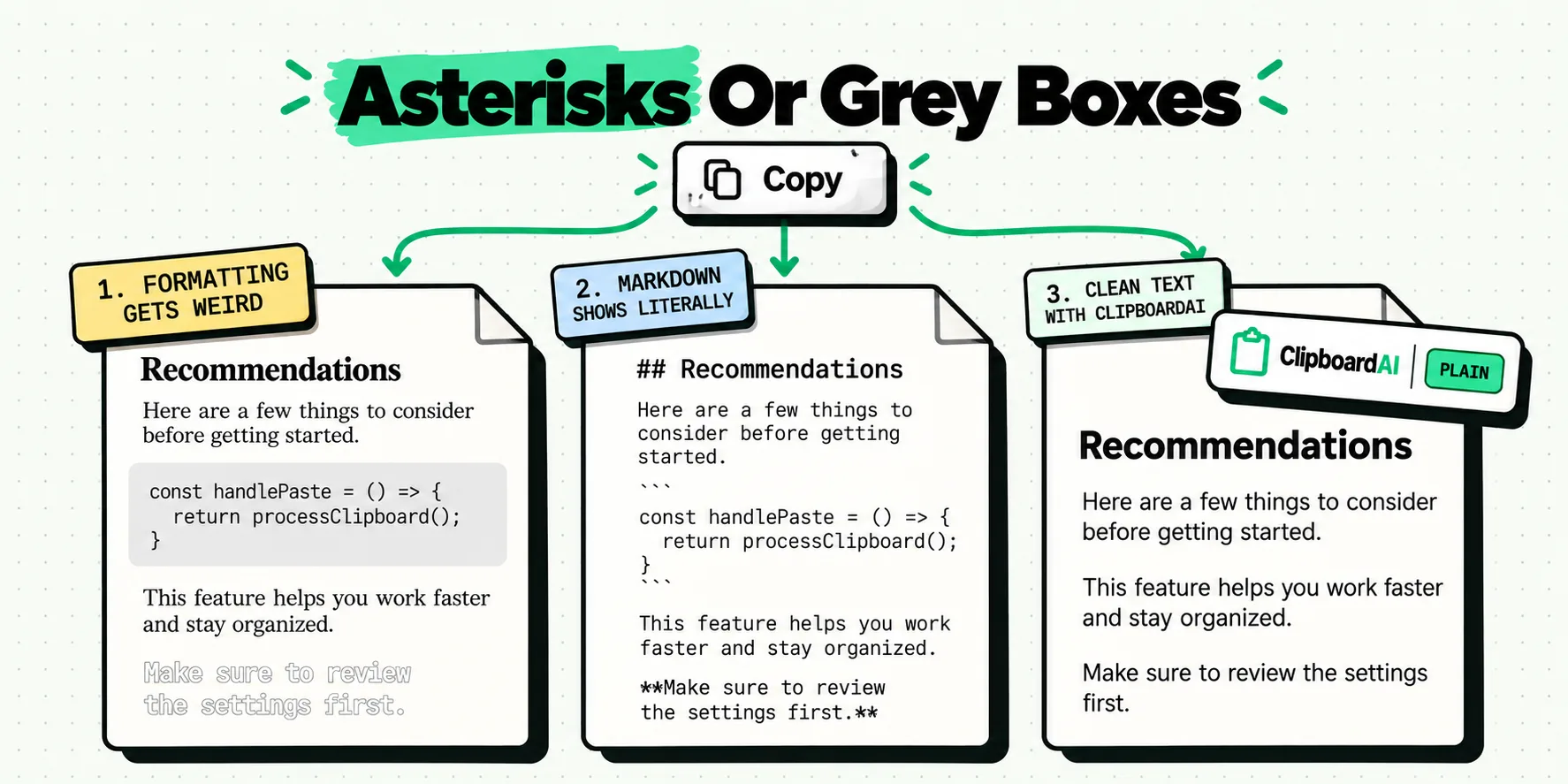
The second thing that genuinely helps is shrinking the text before the composer sees it. Content copied out of a PDF or a web page carries a hard line break at every visual line, doubled spaces, and often a layer of HTML. Remove Line Breaks, Trim Whitespace and Strip HTML are three of nine free transforms on both iPhone and Mac, each one tap, and on that kind of text they cut the character count meaningfully. Sometimes that is the difference between 10,400 characters and 9,600. The transform reference covers all nine, and getting AI output out of a chat without the markdown mess is the same problem in the other direction.
On the Mac there is one more small win. Turn on Always paste as plain text in Settings, General, Behavior, and every clip you paste through ClipboardAI arrives as characters, with Option to keep the formatting for one paste. If you want to test the community's plain-paste workaround, that setting means you are testing it by default rather than remembering a four-key chord.
The boundary, and it is a real one: we do not split text into chunks. No delimiter splitting, no character-count chunking, no regex. "Paste One by One" on the Mac pastes separate clips in sequence, so three chunks means three separately captured clips. If you were hoping for a tool that automatically breaks a 40,000-character document into four ChatGPT-sized pieces, this is not that, and we would rather say so here than let you find out afterwards.
What you get instead is that nothing you copied is ever lost to the next copy, and the padding comes off in one tap. For the wider version of that workflow there is a clipboard workflow for AI coding on the Mac, keeping prompt snippets in the keyboard, and using a clipboard manager alongside ChatGPT.
How to re-check this yourself in a year
Because this figure will move again, here is the durable version of the answer.
- Go to the ChatGPT release notes, not to a blog. Search the page for "paste". That is where the number lives, and where the previous number is named as superseded.
- Check the date on the entry, then the date on whatever else you are reading. A page published in April 2026 was accurate in April 2026 and is wrong now.
- Note the tier. Both entries so far scoped the change by plan and rolled it out to paid tiers first. Your experience and a colleague's can legitimately differ.
- Ignore any figure quoted as a "ChatGPT character limit" without the word paste next to it. That is almost always about response length, which is a different ceiling with different causes.
For the same shape of problem where the vendor published nothing at all, iMessage has no published character limit and the famous 160 belongs to a telecoms standard, and the 2,048-character URL limit traces to a header file in a retired browser. And if you are moving screenshots rather than text between chats, reusing a screenshot across AI chats covers that side.
Frequently Asked Questions
What is ChatGPT's paste character limit?
10,000 characters, as of the release note dated 22 June 2026. Paste more than that into the composer and ChatGPT converts it into an attachment rather than message text. The threshold was 5,000 from 25 March 2026 and applied only to Plus, Pro and Business before the June change extended it to Free and Go and raised it for everyone. OpenAI publishes this only in its release notes changelog.
Why did my pasted text turn into a file called pasted.txt?
Because it went over the composer threshold and ChatGPT converted it to an attachment automatically. OpenAI's stated reason is that this "keeps the composer cleaner and helps prevent large pastes from consuming your entire context window". It is a deliberate feature rather than an error, and it is reversible: click Show in text field on the attachment to convert it back into a direct paste.
How do I stop ChatGPT turning my paste into an attachment?
The documented way is to click Show in text field after the fact, which converts the attachment back to text in the message. To avoid it in the first place, get under 10,000 characters by stripping line breaks, doubled whitespace and HTML from the copy before pasting, or split the material into two messages yourself. Users also report that a plain-text paste sidesteps it, though OpenAI has never documented that.
Is the ChatGPT paste limit 5,000 characters?
Not any more. It was 5,000 between 25 March and 22 June 2026, for Plus, Pro and Business only. OpenAI's own June release note states that "Previously if you sent more than 5k characters it was sent as an attachment. The threshold has now also been raised to 10k characters." Pages still quoting 5,000 were written during that window and have not been updated.
Does OpenAI publish a limits page for ChatGPT?
No. Checked on 29 July 2026, the ChatGPT collection in OpenAI's help center contains a capabilities overview, a free tier FAQ, an image inputs FAQ, a file storage and usage caps article and the release notes, and no article covering message length, composer length or paste behavior. The threshold exists only inside a dated changelog entry, which is why the figure ages so quickly everywhere else.
Is the attachment as good as pasting the text directly?
ChatGPT reads the attachment, so for most purposes it works. Users in OpenAI's own community forum report that attached content is treated differently from in-message text, describing it as behaving more like a document to look things up in than as part of the prompt. If precise wording matters to your request, use Show in text field or split the material into messages instead.