
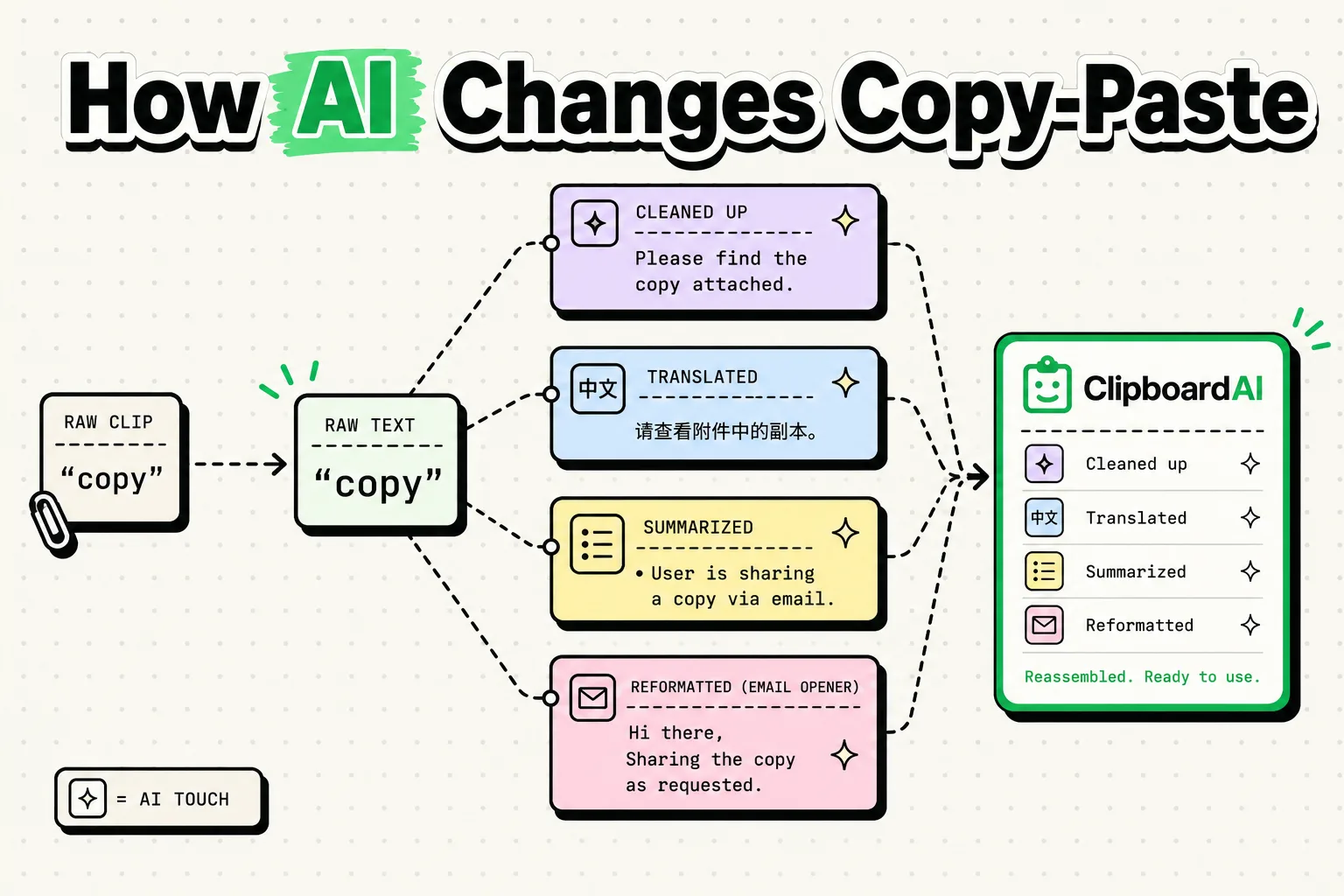
Artificial Intelligence is transforming copy-paste from a rigid, letter-for-letter text transfer into a smart semantic translation that restructures, formats, and translates data as it moves between applications. Instead of copying unstructured text and manually cleaning it, AI-driven clipboard tools like ClipboardAI analyze the target schema, recognize variables like names or phone numbers, and inject them into the correct fields automatically, saving hours of manual data entry and formatting.
The Legacy Metaphor
Since Larry Tesler designed the cut, copy, and paste commands at Xerox PARC in 1974, the underlying action has not changed. The operating system allocates a tiny partition of RAM to hold a block of characters. When you trigger paste, it injects those characters exactly as they were captured.
This works fine for basic document editing. However, when moving data across distinct systems - like pulling contact details from an email signature and writing them into a structured CRM database - the legacy copy-paste workflow requires repeated app switching. You must copy the name, paste it, switch back, copy the phone number, paste it, and repeat the cycle.
AI changes this by introducing semantic understanding to the clipboard. The clipboard stops being a passive memory bucket and becomes an active translator.
Comparison: Traditional vs. Semantic Copy-Paste
The differences between moving characters and moving structured meaning illustrate the value of an intelligent clipboard layer:
| Feature | Traditional Copy-Paste (Legacy OS) | AI-Driven Semantic Paste (ClipboardAI) |
|---|---|---|
| Data Structure | Raw, unparsed text strings or binary images. | Tokenized, categorized variables (JSON/Key-Value). |
| Format Adaptation | Pastes styling (fonts, colors) or requires "Paste as Plain Text." | Automatically reformats dates, phone numbers, and currencies to fit target fields. |
| Field Matching | Requires manual placement in each individual box. | Auto-fills multi-field forms from a single copied source block. |
| Context Aware | None; treats every destination app the same. | Adjusts formatting based on destination app type (e.g. database vs. chat). |
| Multi-Item Buffer | Single-item queue; overwrites previous copies. | Multi-slot relational index with intelligent category tags. |
AI Formatting Workflow Checklist
To make the most of AI clipboard features, organize your data transfer using this structured workflow:
- Capture the Entire Data Block: Instead of carefully highlighting a single phone number or code, copy the entire email signature, invoice footer, or website block. Let the AI parse the variables.
- Set Destination Field Labels: Ensure your target databases or spreadsheets use clear column headers (such as First Name, Email, Date). AI parsers use these labels to match variables.
- Select the Target Schema: When pasting into forms, choose the appropriate mapping format (e.g. converting a full name into separate first and last name fields).
- Verify On-Device Processing Status: Ensure your formatting operations are running on your local neural processor to prevent sending private customer information to remote servers.
- Create Variable Mapping Rules: Pin frequent formatting targets (like converting phone numbers to E.164 standard) in your clipboard settings to make clean pasting automatic.
How Semantic Parsing Works in Practice
When you copy an unstructured block of text - like a restaurant recommendation from a chat - ClipboardAI’s local parsing engine tokenizes the string.
It identifies entities like dates, locations, phone numbers, and names using on-device machine learning models.
  [Unstructured Text Block] ──(Smart Copy)──> [ClipboardAI CoreML Parser]
                                                         │
                                               (Tokenization & Tags)
                                                         │
                                                         ▼
  [Pasted Output: Structured Fields] <──(Auto Fill)── Name: Pizza Union
                                                      Phone: +44 207...
                                                      Address: 25 Leman St
When you paste this data into a calendar, map app, or contact card, the app does not dump the entire paragraph into a single field. It routes the location to the address box, the phone number to the contact field, and the name to the title field. The clipboard handles the routing automatically.
The Limitations of AI Clipboard Integrations
While semantic copying represents a major step forward, the technology faces distinct technical hurdles:
- Accuracy Failures: Machine learning models guess what a string represents based on context. An AI might mistake a serial number for a phone number or a billing reference for a date. Users must always be able to bypass the AI and paste raw plaintext.
- Processor and Battery Overhead: Running local natural language processing (NLP) models requires CPU cycles. While modern hardware handles this easily, continuous parsing can drain mobile batteries faster than a standard OS pasteboard.
- Form Structure Dependencies: If a web form does not use standard HTML field tags or accessibility labels, the AI engine will struggle to identify where variables belong, causing incorrect mapping.
Frequently Asked Questions
Does ClipboardAI send my copied text to the cloud?
No. ClipboardAI runs its semantic parsing models locally using your iPhone's Apple Neural Engine. Your data stays on your physical device, protecting your privacy.
What is the difference between standard text mapping and AI copy-paste?
Standard mapping uses fixed rules (like lookups for commas or dashes). AI copy-paste reads the semantic meaning of the words, allowing it to accurately extract details like names or addresses even if the formatting is completely unstructured.
How do I paste a multi-field block into Excel?
Copy the unstructured paragraph containing your data. Select the first cell in your spreadsheet, open the ClipboardAI keyboard, and select Semantic Fill. The app will map the variables and paste them horizontally across the correct columns.
Can AI clean up messy formatting from PDF copies?
Yes. Copying from PDFs often introduces line breaks and extra spaces. ClipboardAI’s local parser automatically removes these layout artifacts, pasting the text as a clean, continuous paragraph.