On this page
The Short Answer
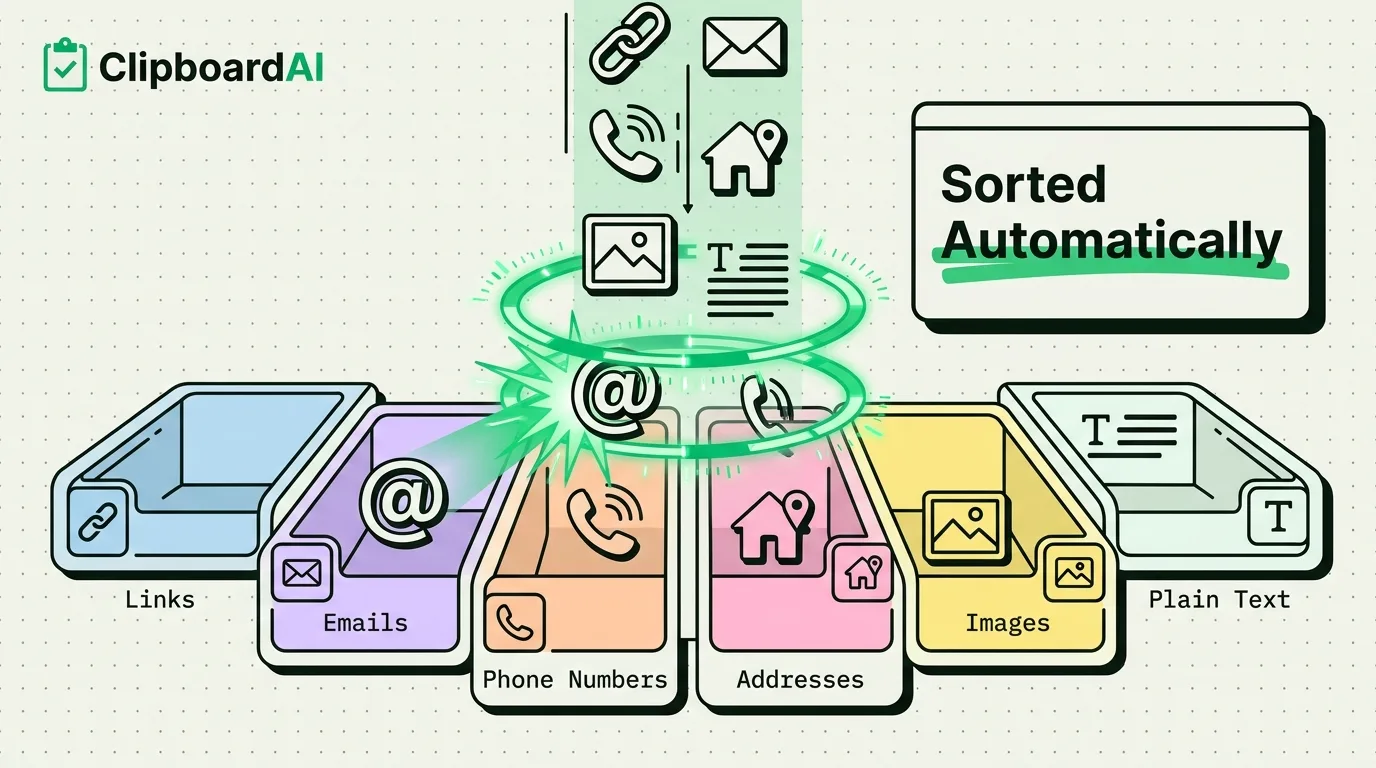
When ClipboardAI saves something you copy, it scans the content for recognizable patterns, a URL structure, an email's @ sign and domain, a phone number's digit grouping, a street address's format, and files it into a category automatically. You never tag anything by hand. The categorization happens the moment the item is saved, so by the time you open your history, links, contacts, and codes are already sorted instead of sitting in one long undifferentiated list.
How Automatic Categorization Actually Works
This is pattern recognition on text structure, not a language model reading your copied content for meaning. A few concrete examples of what triggers each category:
| Category | What triggers it |
|---|---|
| Links | Text starting with http://, https://, or matching a domain-like pattern (word.word) |
| Emails | Text containing an @ symbol followed by a valid domain structure |
| Phone numbers | Digit sequences matching common phone-number groupings and lengths |
| Addresses | Text matching street-number-plus-name patterns and common address keywords |
| Images | Anything copied as image data rather than text, including screenshots and photos |
| Plain text | Everything that does not match a more specific pattern above |
Why This Is More Than a Cosmetic Feature
The practical benefit shows up when your clipboard history has more than a handful of items in it. Filtering to "just links" or "just phone numbers" turns a long scrollable list into something you can scan in seconds, which matters most on days when you copied a dozen things and only need one specific type back. Combined with full-text search, categorization narrows where to look before you even start typing a search term.
Where Automatic Categorization Gets It Wrong
- Pattern matching is not perfect. A reference code that happens to look like a phone number (same digit count and grouping) can land in the wrong bucket, and unusual international address formats do not always match the address pattern.
- It categorizes based on structure, not intent. Copying a phone number as a reminder ("call this back at 3pm") still files under phone numbers, not reminders, since there is no separate to-do category.
- It has no awareness of context outside the copied text itself. It cannot tell that a 10-digit number you copied from a spreadsheet is an account ID rather than a phone number; it just matches the digit pattern.
A Privacy Note
Categorization runs entirely on-device as part of saving the clip. Your clips are never sent to any server for AI. Cross-device sync is optional, and when you turn it on it moves through your own private iCloud account (CloudKit and iCloud Key-Value Store, plus a direct device-to-device transport when your devices share Wi-Fi), encrypted in transit and at rest, the same protection tier as your Photos and Notes. Nothing passes through a ClipboardAI server, and you can leave sync off entirely to keep everything on your device.
Frequently Asked Questions
Can I manually recategorize something the app got wrong?
You can still search or browse by the type you expect and locate it that way even if the automatic tag is imperfect; the underlying text is unchanged regardless of which category bucket it landed in.
Does categorization use an internet connection?
No. Pattern matching against copied text happens on-device at save time. An internet connection is only relevant if you have cross-device sync turned on.